
About NavU
Challenge: Students with disabilities face unpredictable campus barriers such as blocked routes, inaccessible buildings, and mobility-blind schedules, leading to stress and reduced independence.
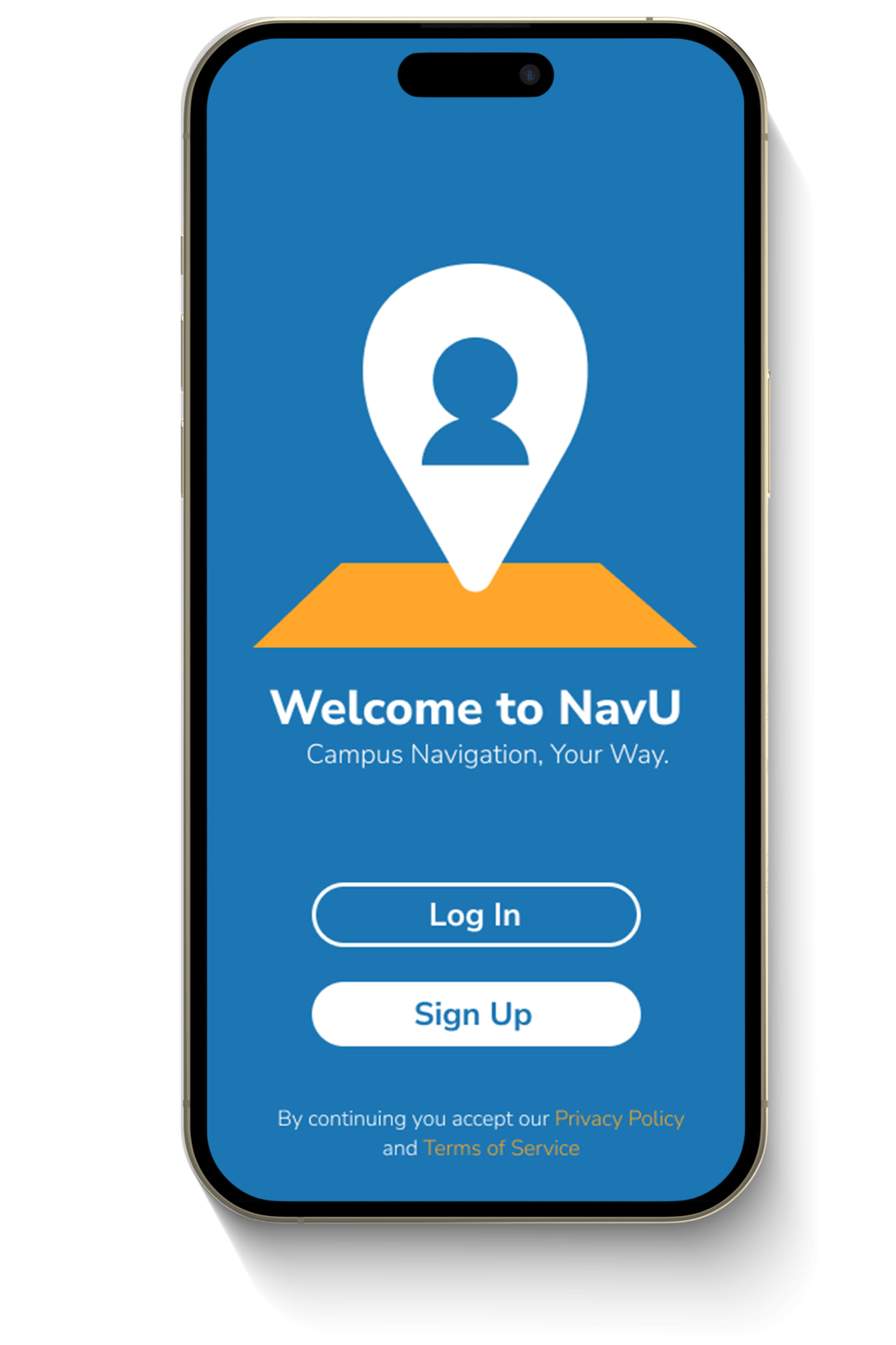
Solution: NavU is an accessibility-first campus navigation app offering personalized routes, real-time alerts, peer insights, and mobility-aware scheduling for safer, more independent navigation.
Deliverables: Accessibility-forward design, Research & Strategy, User Experience Design, Product Design, Branding Design, Prototyping
Timeline
Aug - Dec 2024
Role
UX Design & Research
Org
UW-Madison
Team
1 Designer (Me), 2 Research Contributors
OVERVIEW
Navigating campus can be unpredictable for students with disabilities. Blocked routes, inaccessible buildings, and mobility-blind schedules create stress and limit independence.
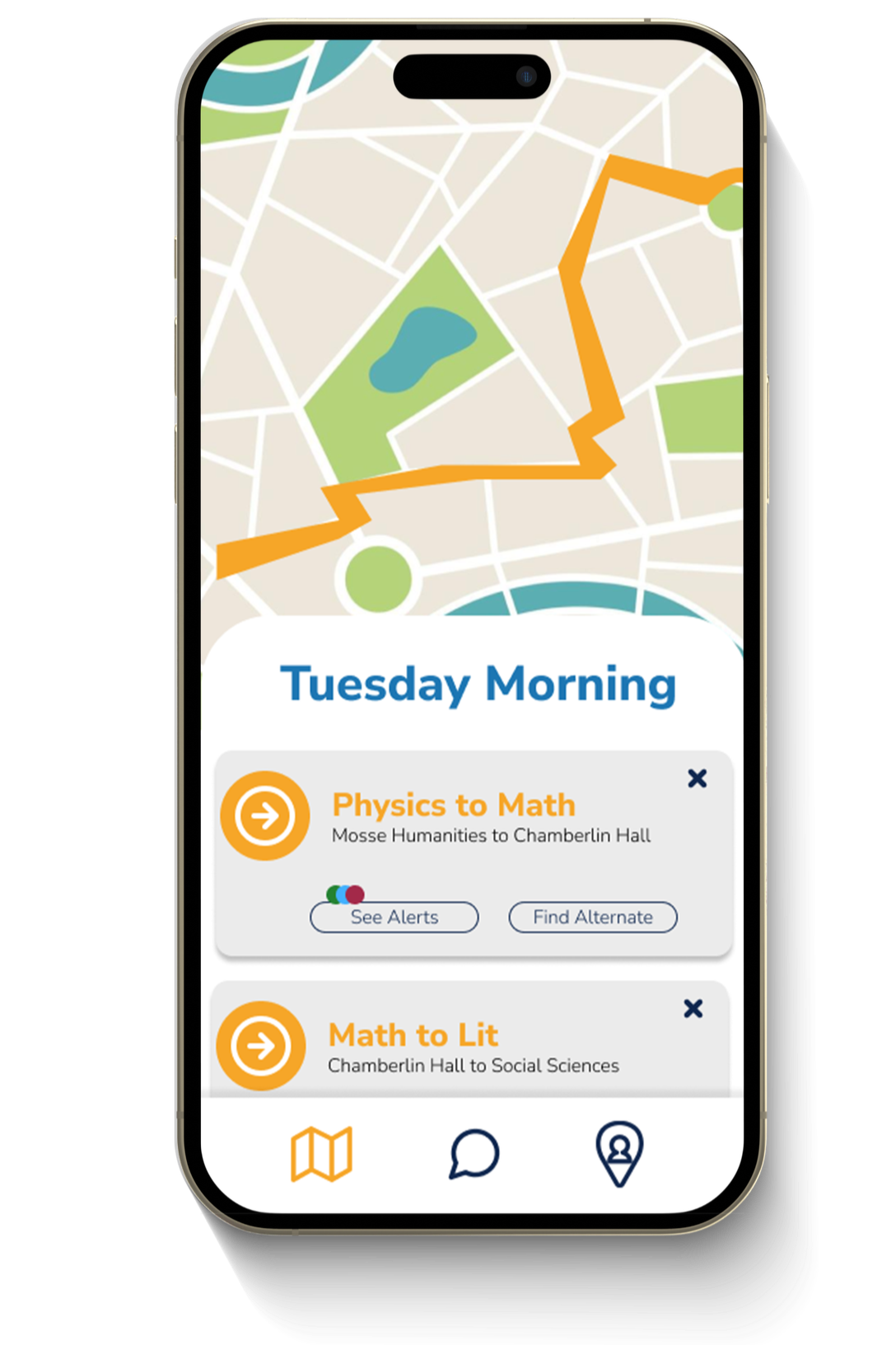
NavU is an accessibility-first campus navigation app designed to reduce uncertainty. Through research with UW–Madison accessibility experts and students, I helped design a solution that combines personalized routing, real-time alerts, peer insights, and mobility-aware scheduling to support safer, more confident navigation.

How might we reduce uncertainty in campus navigation so students with disabilities can move independently, confidently, and on their own terms?
INTERVIEWS
We interviewed experts in disability resources at UW-Madison to gain insights regarding the experience of students with disabilities along with that of the staff that support them.
Ruben Mota
Americans with Disabilities Act (ADA) Coordinator
“There are a lot of barriers reported to the disability centers by students when it should be the other way around.”
New campus buildings meet accessibility standards, but many older buildings remain inaccessible
Sidewalk closures and unsafe conditions from construction or weather are not proactively communicated
Students with disabilities face barriers both en route to campus and when entering buildings
Gwynette Hall
Accessible Learning Technology Manager
“Many students with disabilities decline their enrollment after taking a tour and seeing our campus.”
Supports students in building class schedules that account for travel time and campus conditions
Madison’s hilly terrain and icy weather make mobility planning especially challenging
A mobility-based map and alerts for detours or elevator outages would significantly increase confidence and independence
SURVEY
We conducted an online survey with 10 users that fall into our target demographic: students at UW Madison that commute to and from campus.
BRAINSTORM
With my team, we brainstormed a variety of campus navigation problems and possible solutions. We researched the widely agreed upon stressors that college students deal with while navigating campus and what they are asking of their campus leaders using our interviews, surveys, and Reddit boards.
ADA resources specify the three needs of disabled communities when it comes to the use of any process or product:
Indepencence
Privacy
Ease of use


USER PERSPECTIVES
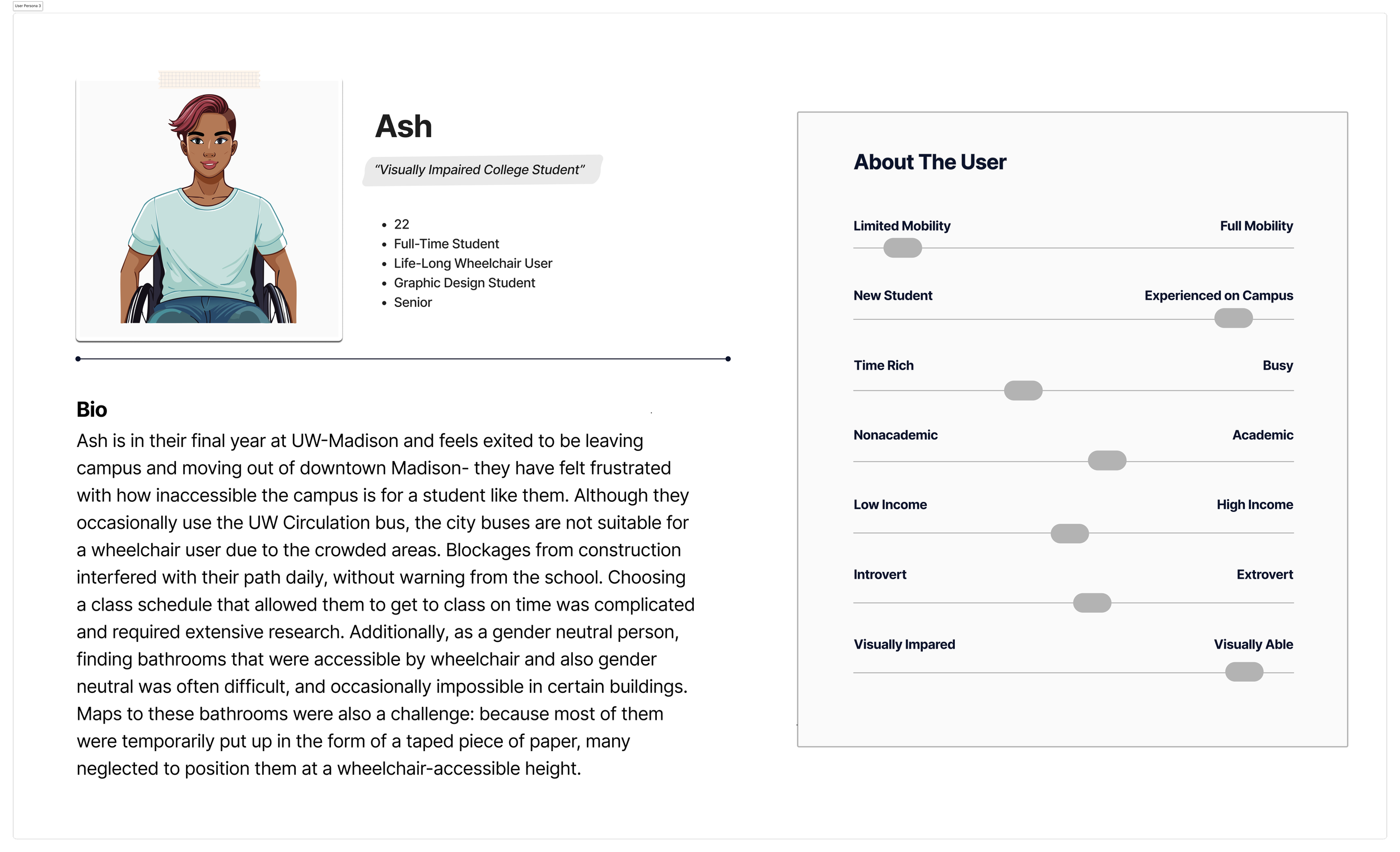
Using the data collected from our survey and interviews, I created user personas and journey maps for their experiences navigating campus, all three users being UW-Madison students with varying accessibility needs.

KEY INSIGHTS
Navigation Is Only One Part of the Problem
Interviews revealed that accessibility challenges extend beyond routes. Travel time, terrain, and building access directly affect class scheduling and daily planning, yet these factors are rarely considered together.
Independence Depends on Privacy and Control
Students want to navigate campus without repeatedly reporting barriers or disclosing their needs. Tools that support self-directed planning feel more respectful and empowering than reactive accommodations.
Peer Knowledge Is Trusted but Inaccessible
Students often rely on informal peer networks for accessibility tips, but this knowledge is scattered, inconsistent, and difficult to access when it matters most.
OPPORTUNITY AREAS
Design navigation with user-defined mobility needs
Create a trusted, low-pressure way for students to share lived accessibility insights
Support scheduling that accounts for travel time and campus conditions
Reduce uncertainty with proactive, real-time campus alerts
DESIGN FOCUS & SCOPE
I prioritized high-impact features that addressed the most critical accessibility challenges while remaining feasible for an MVP.
Primary focus areas
Personalized, accessibility-aware navigation
Proactive alerts for route disruptions and unsafe conditions
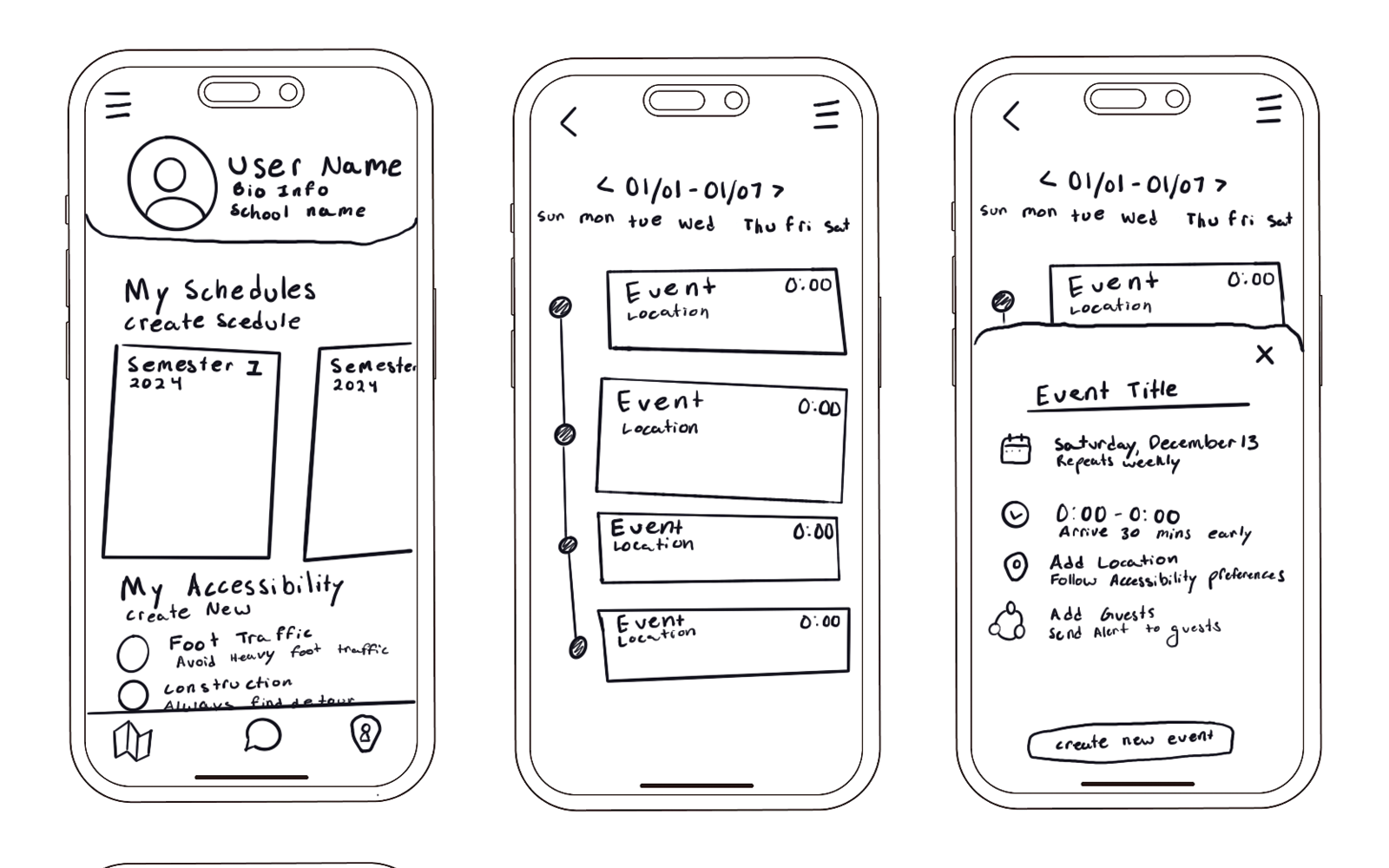
Mobility-informed schedule planning
Peer-shared accessibility insights
WIREFRAMES
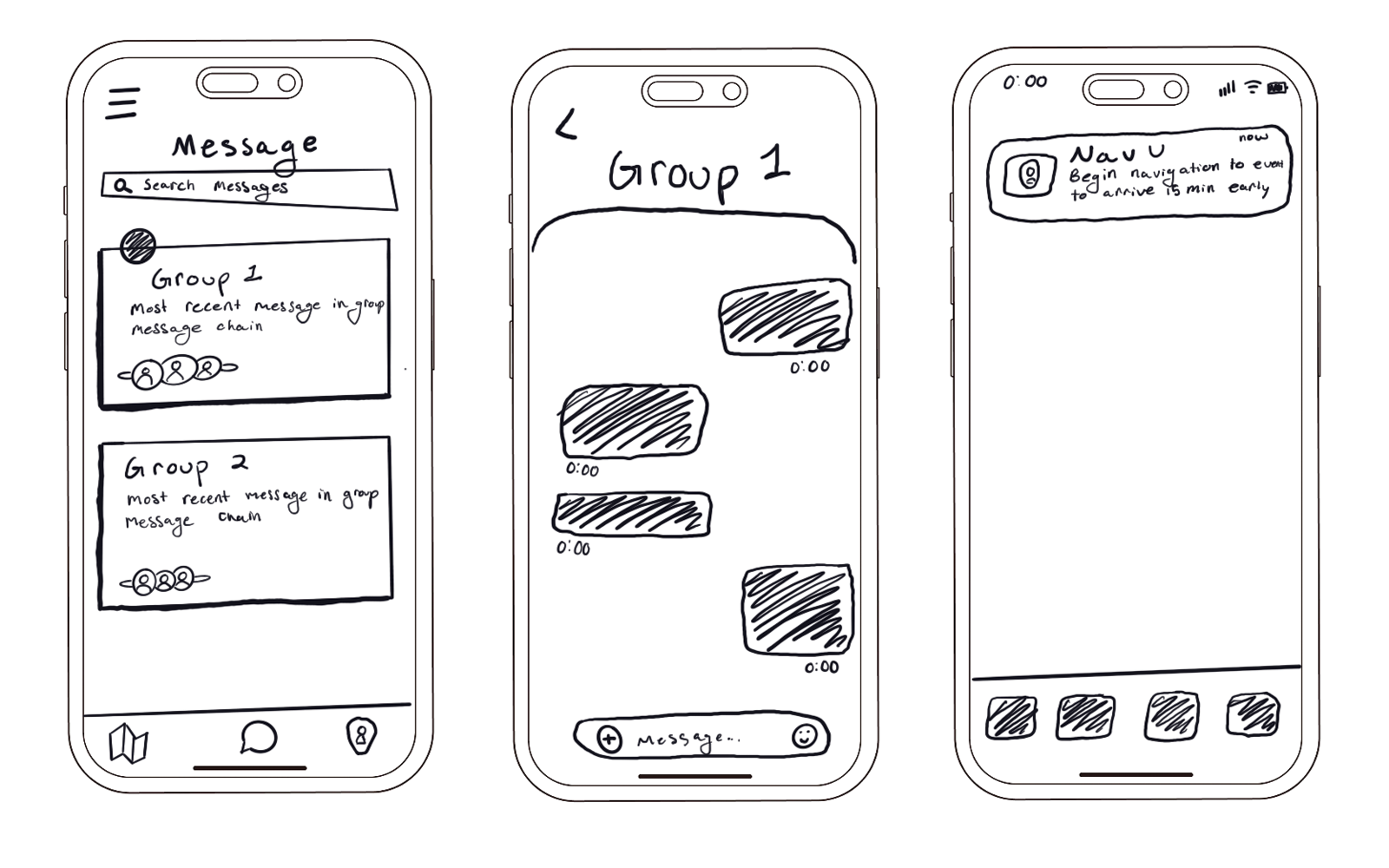
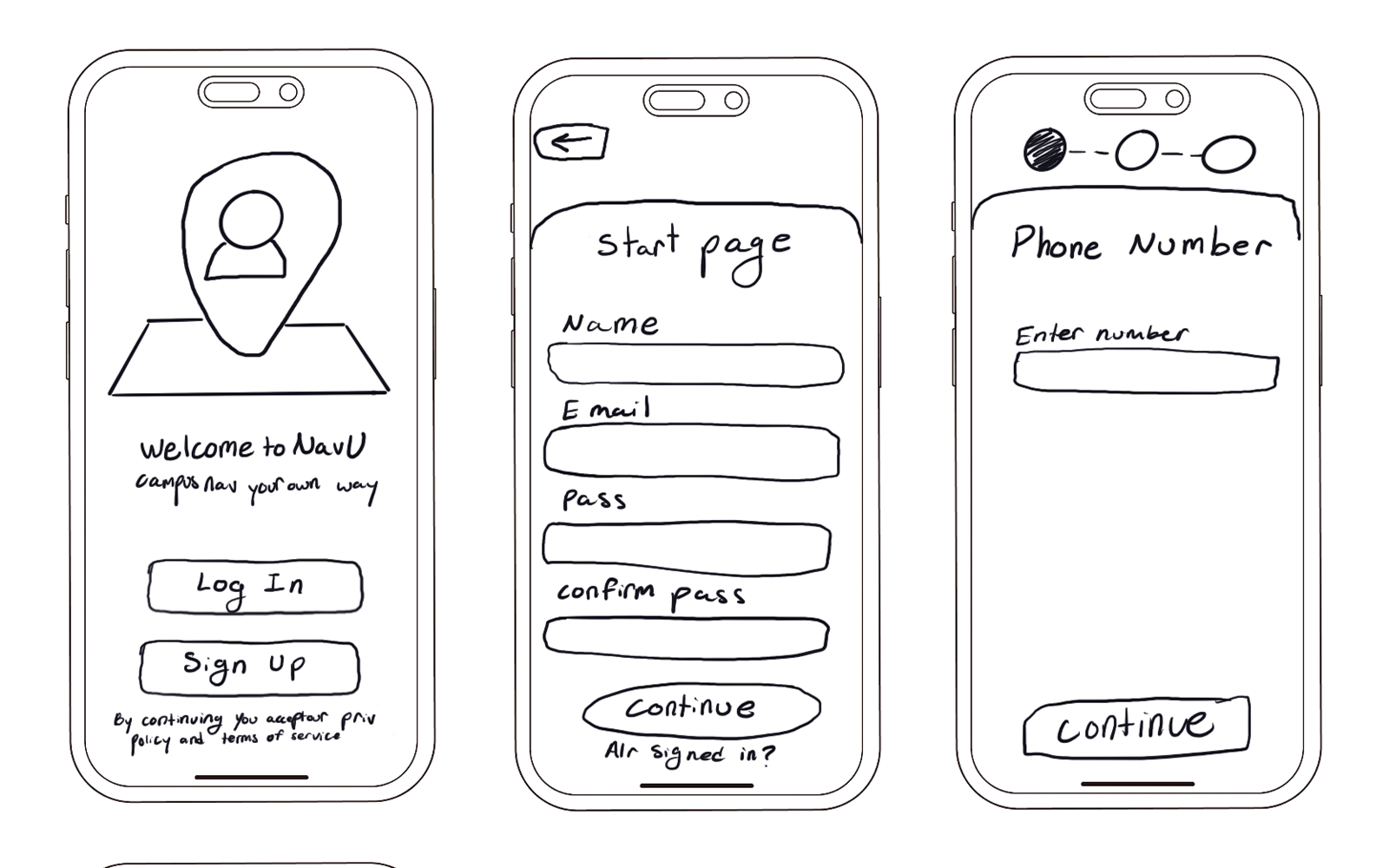
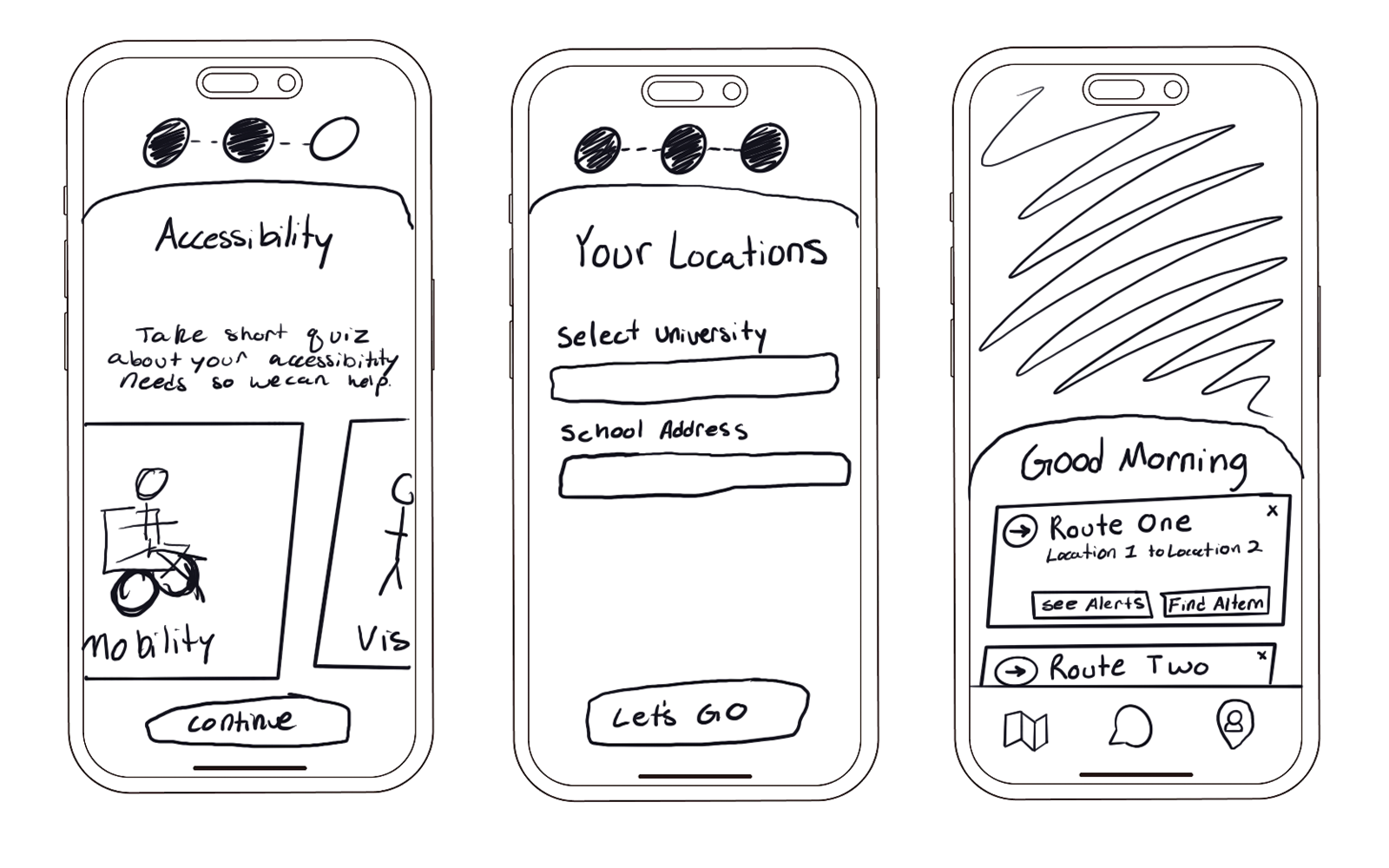
PROTOTYPE
I created a high-fidelity, interactive prototype in Figma to validate core NavU flows. The prototype focused on:
Personalized, accessibility-aware navigation
Real-time alerts for route disruptions and building access
Mobility-informed schedule planning
Lightweight peer communication for shared accessibility insights
IMPACT
Post-prototype testing with 3 students showed increased confidence and reduced stress while navigating campus. Users felt more prepared knowing about elevator outages, construction detours, and unsafe conditions before leaving for class. Personalized routing and mobility-aware scheduling supported a stronger sense of independence, while peer communication features were described as validating and community-building rather than isolating.
KEY TAKEAWAYS
Accessibility depends on predictability, not just compliance.
Personalization enables independence and confidence.
Designing for real-world conditions builds trust.